This guide explains how schools can easily create their AlifLaila School Library account. No technical knowledge is required. Just follow the steps below.
This account will be your main school admin account. You will use it to:
- Log in to AlifLaila
- Manage your plan
- Add campuses
- Add teachers
- Add students
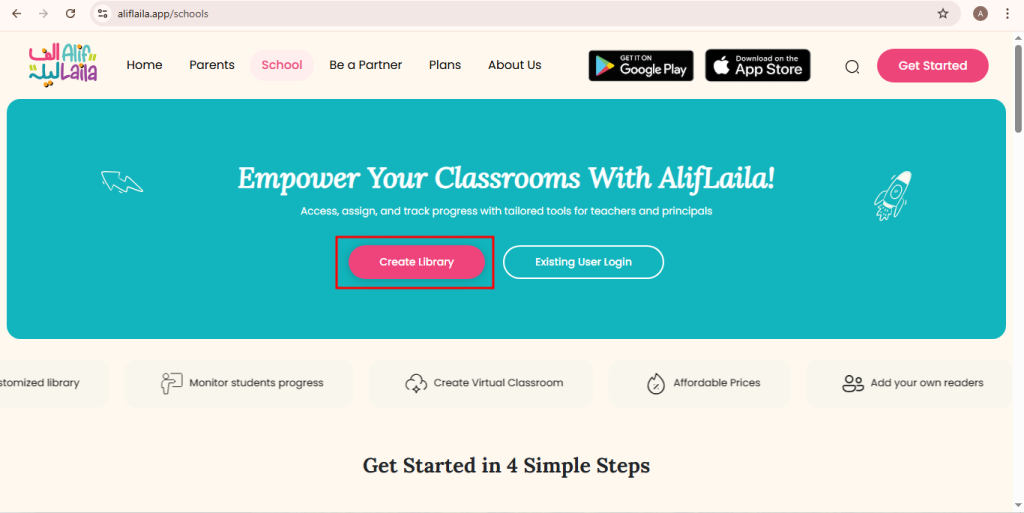
Step 1: Open the School Registration Page
Open your internet browser and go to https://aliflaila.app/schools Click on the Create Library button.
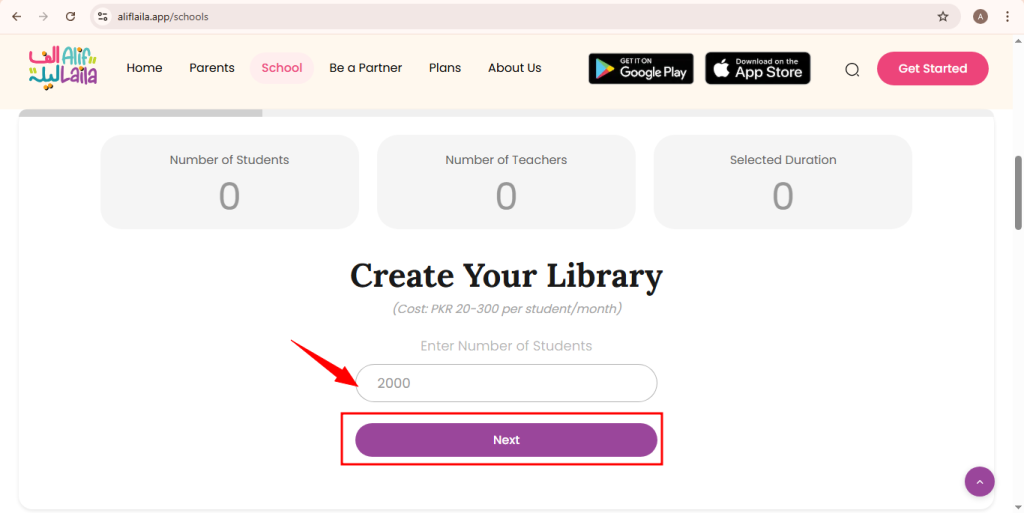
Step 2: Enter Number of Students
- Type the total number of students in your school.
- Click Next.
This helps AlifLaila set up the correct plan for your school.
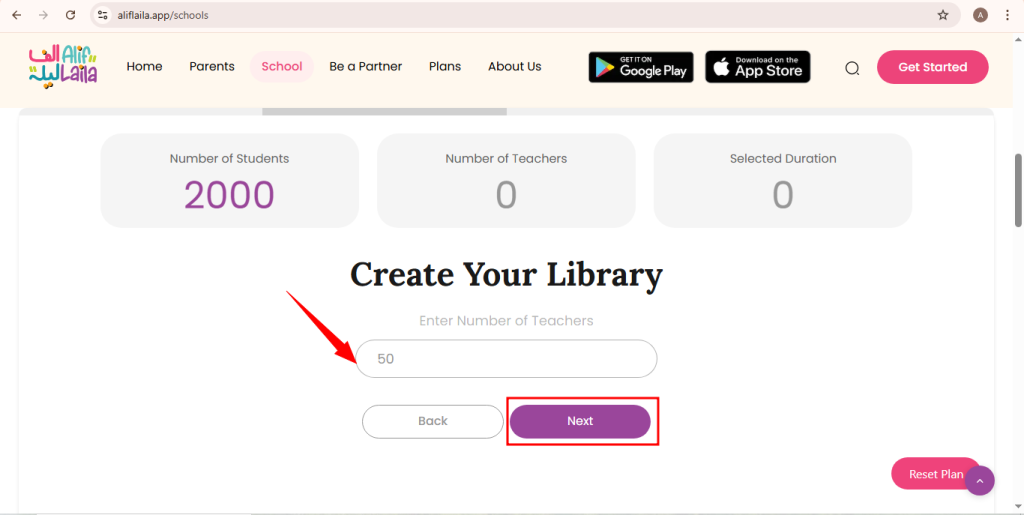
Step 3: Enter Number of Teachers
- Enter the number of teachers in your school.
- Click Next to continue.
Teachers will be able to use the library with their students.
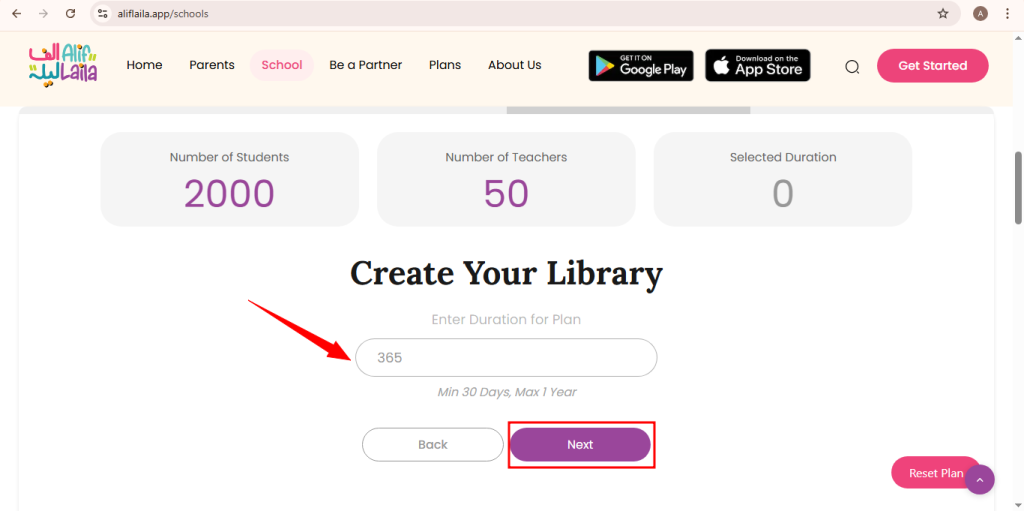
Step 4: Select Plan Duration
- Enter how many days you want to use AlifLaila (for example: 30 days, 90 days, or 1 year).
- Click Next.
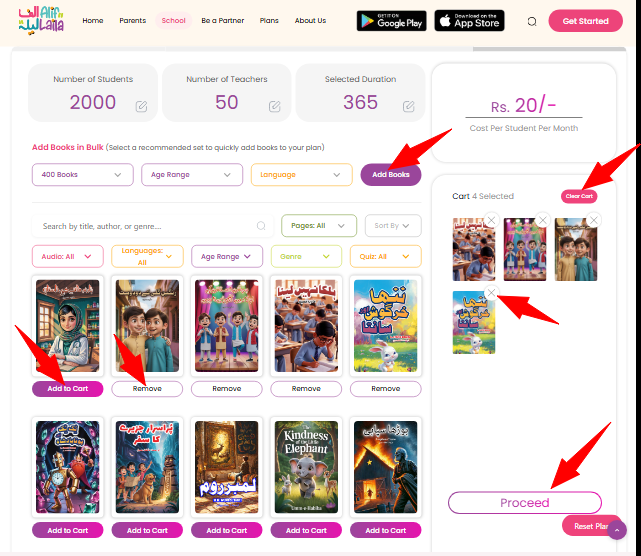
Step 5: Choose Books for Your School Library
- Select the books you want for your school.
- You can choose books according to age and class level.
- After selecting books, click Proceed.
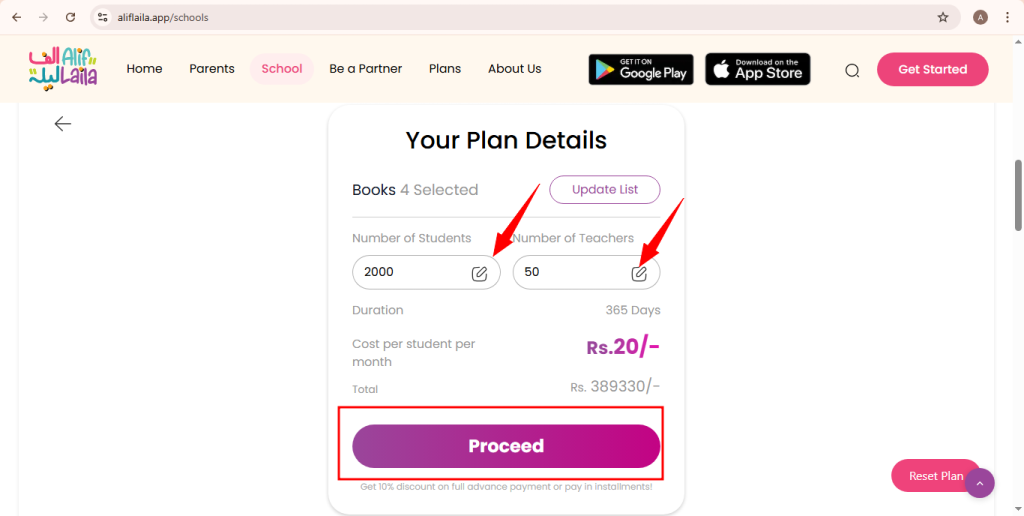
Step 6: Check Your Plan Details
You will now see a summary of your plan, including:
- Number of students
- Number of teachers
- Plan duration
- Selected books
- Total price
👉 If you want to change anything, you can edit it here.
When everything looks correct, click Next.
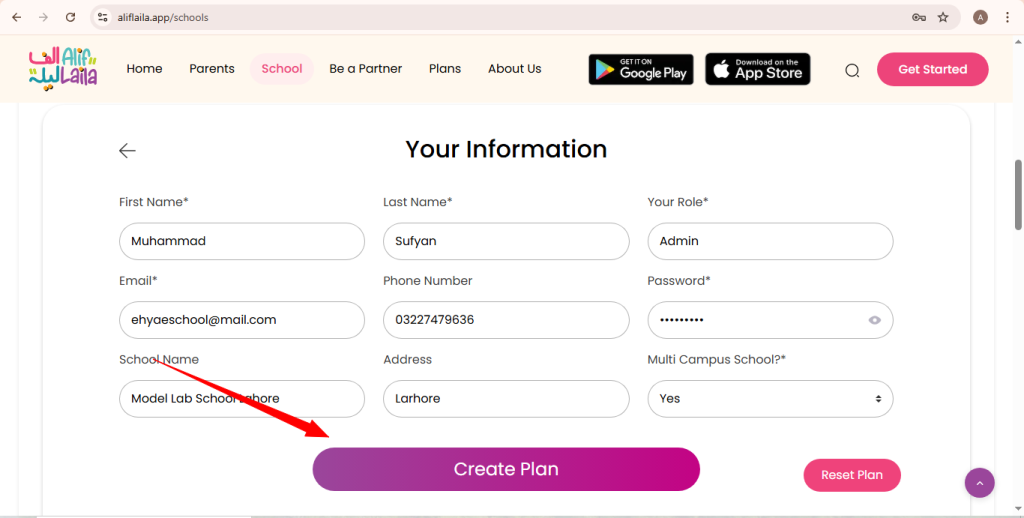
Step 7: Enter School Information (Sign Up)
Fill in your school’s basic information:
- School name
- Contact person name
- Email address
- Phone number
- Password
- School name
- Address
- Select multi campus
Click Create Plan to continue.
Important: The email and password you enter here will be used to log in to your School (Head Office) Dashboard.
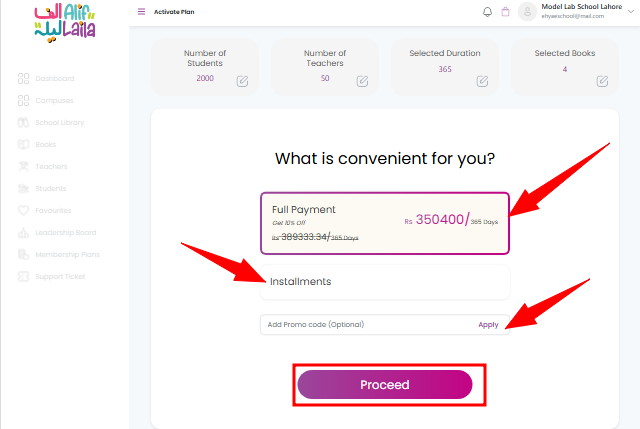
Step 8: Choose How You Want to Pay
Select one of the payment options:
- Pay Full Amount → Get 10% discount
- Pay in Installments → Pay in parts
Choose the option that suits your school best.
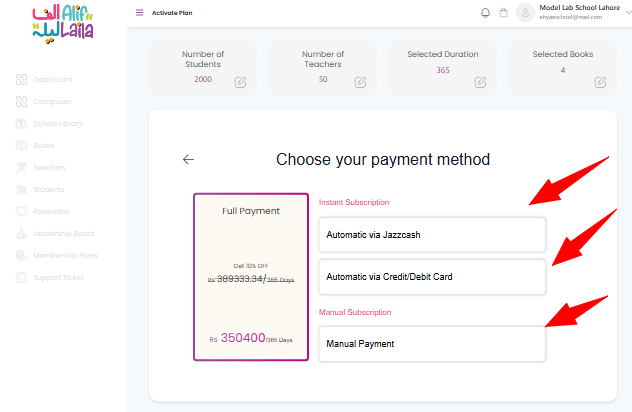
Step 9: Select Payment Method
Choose any one payment method:
- Automatic via Jazzcash
- JazzCash Wallet
- Automatic via Credit/Debit Card
Complete the payment by following the instructions shown on the screen.
Step 10: Account Activation
- If you pay online (JazzCash or Card), your school account will be activated immediately.
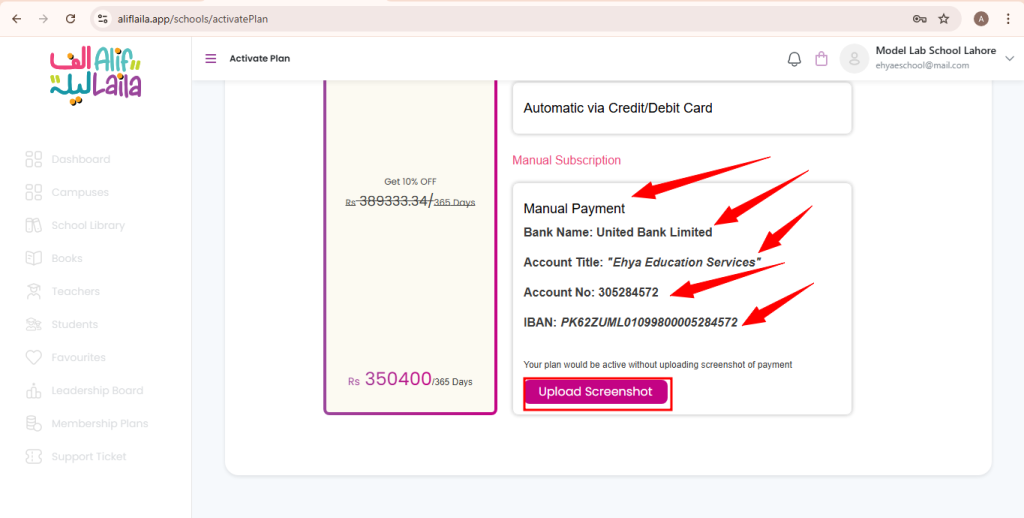
- If you choose Manual Payment, your account will be activated after payment is confirmed by the AlifLaila team.
You will be informed once your account is active.
What’s Next?
Now that your school account is ready, you can continue with these guides:
- Welcome to the School Dashboard (Head Office)
- How to Log in as Head Office, Upgrade Plan, and Add a New Campus
- Welcome to the Campus Dashboard
Need Help?
If you need assistance at any step, please contact AlifLaila Support through the website.