AlifLaila Kids Digital Library provides schools with the option to request a demo account before starting a full subscription. Through the demo school account, school administrators can explore the AlifLaila School Module, understand its features, and see how it can support reading and learning activities in their school.
Follow the steps below to request a demo school account.
Step 1: Visit the AlifLaila School Page
Open your web browser and visit the AlifLaila School page: https://aliflaila.app/schools
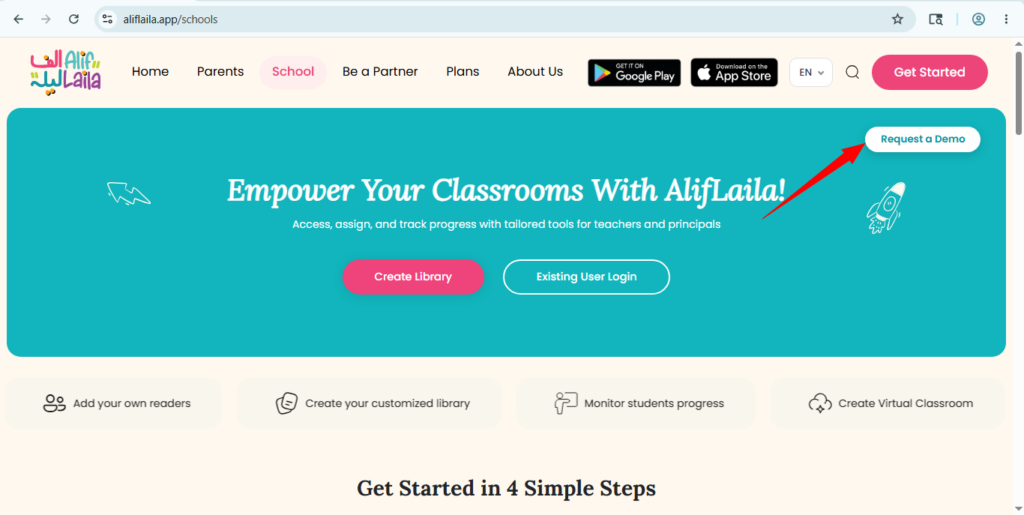
Step 2: Click on the “Request a Demo” Button
On the AlifLaila School page, click the Request a Demo button to open the school demo account registration form.
Step 3: Fill Out the School Demo Account Registration Form
Complete the registration form by providing the required school admin details.
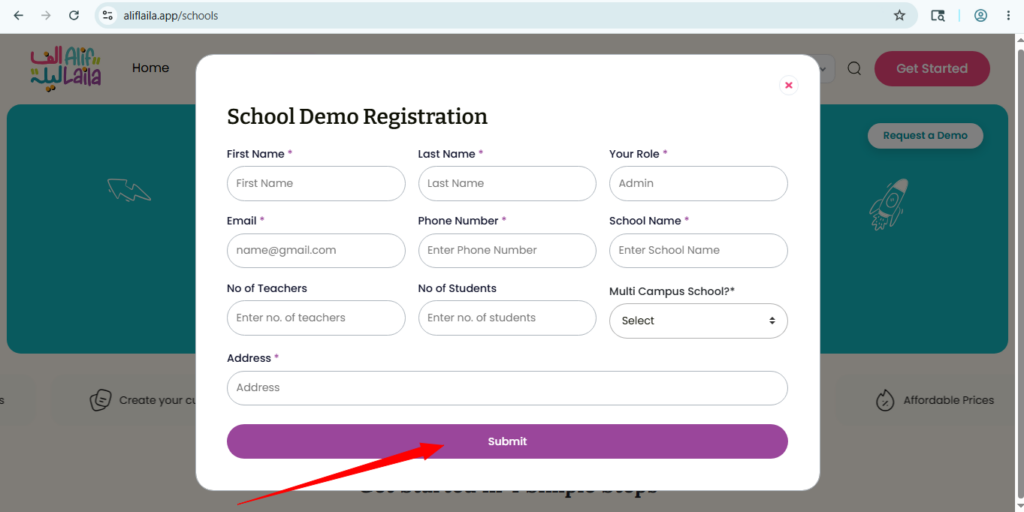
Make sure all details are correct, especially the email address and phone number, because the AlifLaila team will use these details to contact you regarding your demo request. After completing the form, review the information carefully and submit your request.
Step 4: Wait for AlifLaila Team Review
Once the form is submitted successfully, you will receive a confirmation email. This email will inform you that your demo request has been received and that the AlifLaila team will review it and get back to you soon.
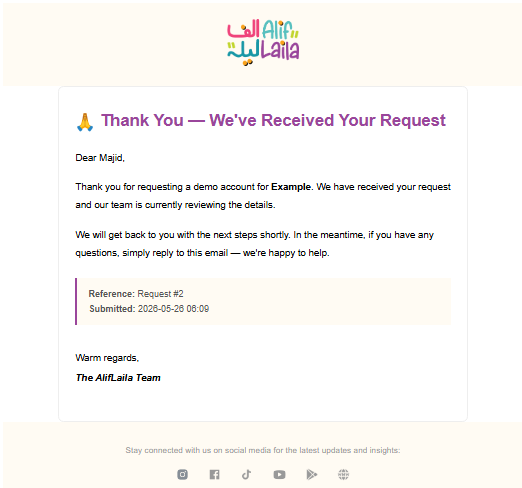
After receiving your request, the AlifLaila team will review the submitted information. The team will contact you using the provided contact details, such as your email address or phone number, if any further information is required.
Step 5: Receive School Module Credentials
Once your request is accepted by the AlifLaila team, you will receive an email containing your login credentials.
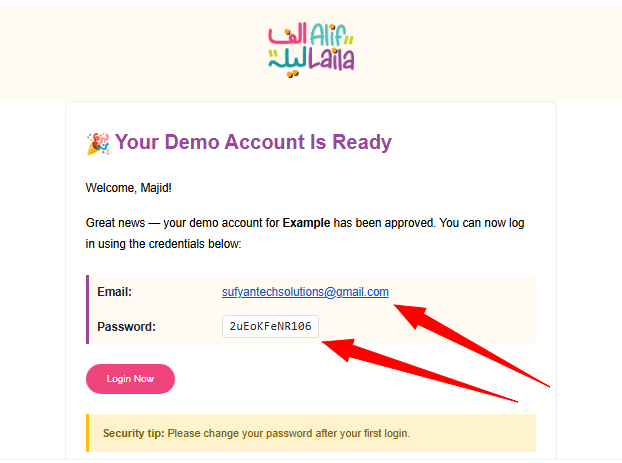
These credentials will allow you to access the AlifLaila School Module as a school admin.
Step 6: Log in to the AlifLaila School Module
Use the credentials provided in the email to log in to your AlifLaila school account by using the link https://aliflaila.app/schools#demoRequest
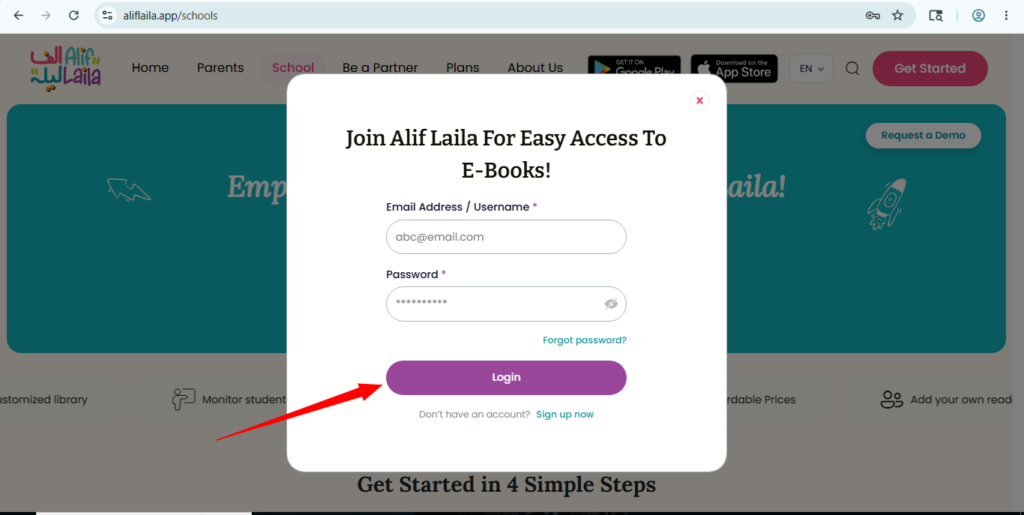
After logging in, you can explore the school module and manage your demo account according to the access provided.
Important Note
Please make sure that the school admin information entered in the demo request form is accurate. Incorrect contact details may delay the review process or prevent the AlifLaila team from contacting you.